PC Building: What’s Changed in Five Years?
After a five-year break from building PCs, returning to the process revealed surprising shifts in technology. While many changes exist, the core principles and essential tools remain remarkably consistent.
After a five-year hiatus from building PCs, returning to the process felt like starting over. The landscape has evolved considerably, yet much of the fundamental knowledge remains relevant—and PCPartPicker is more valuable than ever.
Navigating the Evolving Platform Landscape
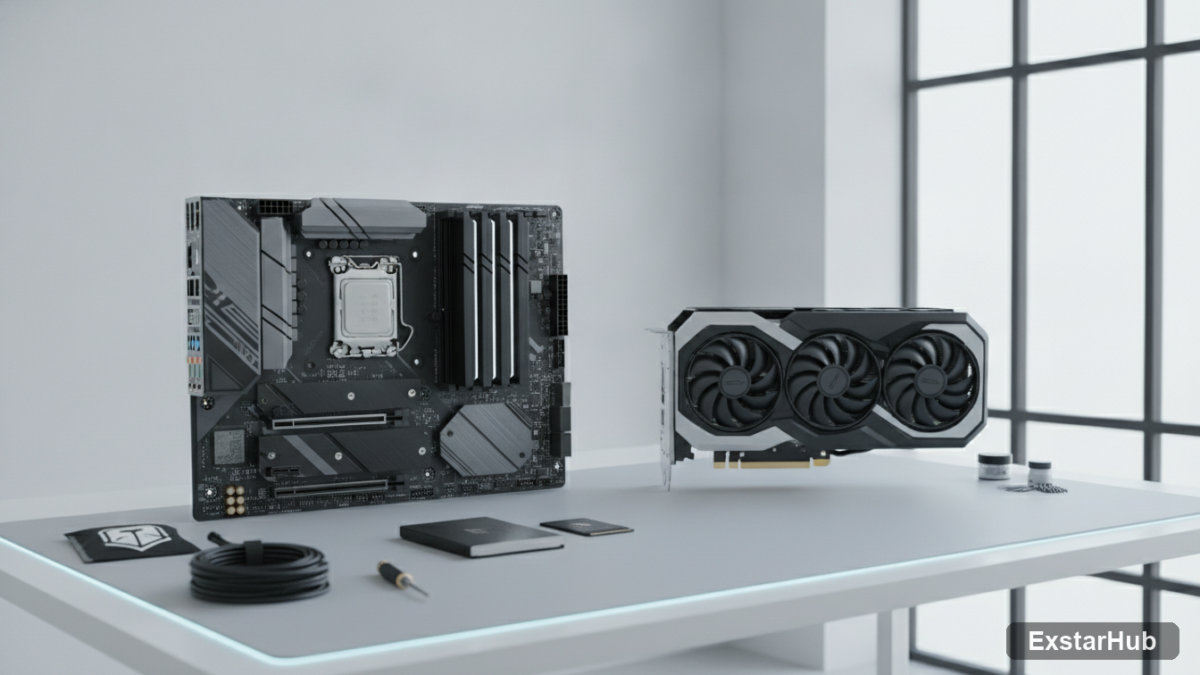
The most significant changes revolve around platforms. AMD’s move to the AM5 socket (an LGA design) marks a fundamental shift, eliminating the traditional CPU pins and simplifying installation for many. This new socket type requires users to adjust their approach slightly compared to older builds. Furthermore, DDR4 RAM is now entirely obsolete, replaced by DDR5 across the board—a change that impacts motherboard selection and overall system cost. PCIe 5.0 slots are increasingly common on motherboards, promising increased bandwidth for future components. While they offer theoretical performance gains, their practical benefit for most users remains limited; PCIe 4.0 SSDs still represent a sweet spot for performance and value, offering ample speed for everyday tasks and even many demanding applications.
Decoding GPU Naming Conventions & Power Requirements
GPU naming conventions have become increasingly complex, adding to the confusion. NVIDIA’s recent refresh brought the RTX 5000 series (based on Blackwell architecture), while AMD launched the RX 9000 series (RDNA 4). Understanding where each card sits in the performance hierarchy requires careful research and comparison of benchmarks. Beyond just names, modern GPUs demand substantially more power than previous generations. The old rule of thumb – a 650W PSU being sufficient—no longer applies to enthusiast-tier builds, especially when considering high-end graphics cards; users now often require 750W or even 850W PSUs to ensure stable operation and headroom for overclocking.
Connectivity and Motherboard Features
Motherboards have also seen significant advancements in connectivity. Wi-Fi 7 and USB4, once considered premium features reserved for high-end boards, are now common on mid-range options. This increased bandwidth supports faster data transfer speeds and improved device compatibility. While the physical layout of motherboards hasn’t fundamentally changed—more ports and headers are readily available—the functionality has significantly expanded. The GIGABYTE B850M DS3H motherboard provides a budget-friendly option with both PCIe 5.0 and PCIe 4.0 M.2 slots, offering flexibility for storage configurations without breaking the bank.
The Enduring Fundamentals of PC Building
Despite the new technologies and naming complexities, the core principles of building a PC haven’t changed. You still need a CPU, motherboard that matches its socket, RAM compatible with that motherboard, a GPU, storage (SSD or HDD), a power supply providing sufficient wattage, and a case to house it all—the order of decision-making remains consistent. Even physical assembly steps like CPU installation (carefully aligning the triangle marker on AM5 sockets) and thermal paste application remain largely unchanged. The tools required are also familiar; a single Phillips head screwdriver still gets the job done for most tasks.
Why it matters
This isn’t just about what’s new in PC hardware; it’s about the reassuring continuity of a hobby that has evolved, but not fundamentally transformed. The return to building after an absence highlights how technology can advance without invalidating past knowledge—making the process accessible even for those who haven’t built a PC recently. The abundance of community resources and tools like PCPartPicker further democratize the experience, allowing enthusiasts of all levels to create custom builds with confidence. Understanding these shifts allows builders, both new and returning, to approach the build process with informed decisions.
Key takeaways
- AMD has transitioned to AM5 sockets, eliminating CPU pins for easier installation.
- DDR5 is now the standard for RAM; DDR4 is obsolete and no longer supported on new motherboards.
- PCIe 5.0 offers increased bandwidth but currently provides minimal real-world benefit for most users.
- GPU power requirements have significantly increased, demanding more powerful PSUs to avoid instability.
- PCPartPicker remains invaluable for compatibility checking, research, and finding build inspiration.
FAQ
What does ‘POST’ stand for when building a PC?
POST stands for Power-On Self-Test, an essential diagnostic process that runs during the boot sequence to check hardware functionality and ensure basic system stability.
Why should I touch a metal part of the case before handling components?
Touching the metal chassis grounds you and helps discharge static electricity, preventing damage to sensitive electronic components like RAM and CPUs. Static discharge can be surprisingly powerful and cause subtle but permanent failures.
What’s the best way to apply thermal paste?
A small dot (roughly the size of a grain of rice) in the center of the CPU is generally sufficient for optimal heat transfer. Spreading it evenly isn’t as crucial as many believe; the cooler will push the paste outwards during installation.
Ultimately, building a PC remains a rewarding experience. Embrace the new technologies, leverage online resources like PCPartPicker, and remember that while things have changed, the fundamentals haven’t—you can get back into it faster than you think.
Source: How-To Geek