Google Selfie Video Sign-In Adds a Recovery Option
Google has introduced an optional selfie-video method that eligible users can set up before they lose account access. The system compares a fresh liveness video with the enrolled recording, but it is not available to every account type.
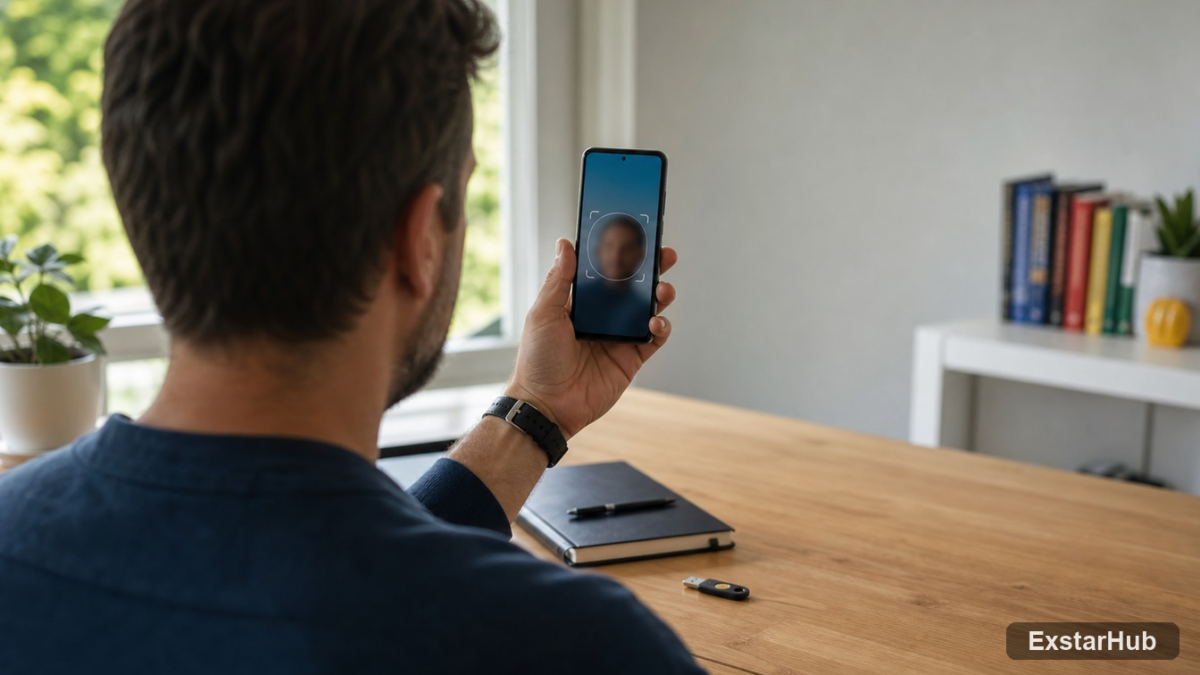
Google selfie video sign-in gives eligible users a new backup route into an account when their usual device or recovery method is unavailable. The optional feature requires users to record a short video in advance, then complete another guided selfie if they later need to prove their identity.
Despite the name, this is best understood as a pre-enrolled account-recovery factor rather than a replacement for passwords or passkeys in everyday use. Google says the feature is available from July 23, 2026 for eligible accounts, with availability determined through the user’s account settings.
How Google selfie video sign-in works
Enrollment asks the user to look at a device camera and perform several guided head movements. That captures the face from multiple angles and gives Google a reference video for a future identity check.
If the user later has trouble signing in, Google may ask for a new selfie video. The company compares that recording with the saved reference and requires simple movements intended to show that a live person is in front of the camera.
Google says it combines this comparison with its normal checks for suspicious sign-in activity. The company also says the process is designed to detect impersonation attempts using still images, prerecorded footage or deepfake video. Those are Google’s security claims; the announcement does not publish an independent evaluation, false-acceptance rate or false-rejection rate for the system.
You must set it up before losing access
The most important limitation is timing. Google’s support documentation says a selfie video cannot be added while a user is already locked out or going through account recovery. It must be enrolled while the account is accessible.
That makes the feature similar to adding a recovery email, phone number, passkey or trusted recovery contact. It can create another path back into the account, but it cannot rescue someone who did not configure it beforehand.
Google also warns that recent changes to verification or recovery factors can take up to seven days to become effective. Users should not assume that adding a new method immediately before changing devices will provide instant protection.
Not every Google account is eligible
Google tells users to visit the selfie section of their account to check eligibility. Its support page says the feature is currently unavailable for Google Workspace accounts, child accounts and accounts enrolled in the Advanced Protection Program.
Availability may also vary by account, device or region as the rollout develops. The public announcement does not provide a complete country list, so seeing the option in one market should not be treated as proof that every user has it.
The exclusions are notable. Workspace administrators already have organization-specific recovery controls, while Advanced Protection users rely on stricter authentication requirements. Google has not said when, or whether, selfie recovery will expand to those account types.
What Google says about storage and privacy
Google says the reference video is recorded and stored with the user’s consent, encrypted at rest and used only to help with sign-in unless the user separately chooses to share it for additional purposes. Users can delete the saved selfie from their Google Account settings.
Encryption at rest protects stored data from some forms of unauthorized access, but it does not remove the privacy trade-off. A selfie video is persistent biometric material tied to an identity account. Users must decide whether the convenience of another recovery method is worth giving Google that additional data.
The company’s wording also matters: using the video for purposes beyond sign-in requires an opt-in, according to Google. Enrollment in account recovery should not be described as automatic consent to train facial-recognition systems.
Why liveness checks matter in the deepfake era
A static face match is increasingly weak evidence on its own because convincing synthetic images and video are easier to produce. Asking for unpredictable guided movements raises the difficulty for an attacker trying to present a photograph or prepared clip.
It does not make impersonation impossible. The security of the system depends on the quality of Google’s liveness detection, the integrity of the enrollment process and the additional risk signals used during recovery. Attackers may also target the account before enrollment or attempt to manipulate other recovery channels.
The wider platform problem is visible in ExstarHub’s coverage of app-store action against tools that enable harmful deepfakes. As synthetic media improves, services that handle identity, payments or sensitive data need layered checks rather than trusting a face image alone.
How it fits with passwords and passkeys
Selfie recovery does not make strong primary authentication less important. A passkey can protect routine sign-ins against phishing, while a recovery email, phone number or contact provides alternate ways to regain access. The selfie adds another factor based on biometric similarity and liveness.
Using several independent methods reduces the chance that losing one device becomes a permanent lockout. It also reduces dependence on any single recovery channel, although every extra method creates data and account-management responsibilities of its own.
Why it matters
Google is turning a face video into a pre-arranged recovery credential for consumer accounts. That could help users who lose a phone, forget a password or cannot reach their usual computer, especially when older recovery information is no longer current.
The trade-off is equally clear. Better recovery may require storing more sensitive identity data, and Google’s anti-deepfake protections have not yet been independently tested in public. Eligible users should treat the feature as one optional layer, not as a reason to neglect passkeys, current recovery details and offline backup codes.
Source: techcrunch.com