
Multifunctional Rooms
Dining Table Home Office: A Setup That Clears for Dinner
Make one table work for focused tasks and everyday meals, with a practical fit check, a nearby home for the work kit and a repeatable reset routine.
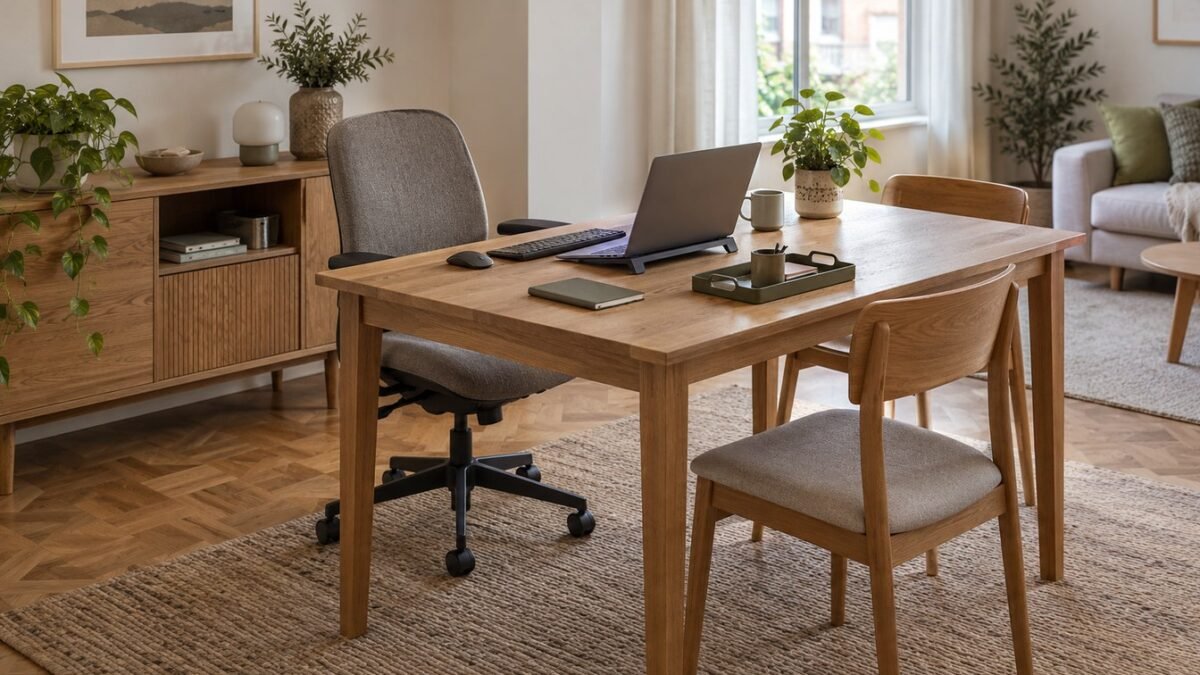
A dining table home office works best when the work setup has somewhere to go after you close the laptop. Before buying a second desk, try a three-part arrangement: a seat that fits you, enough table space for your equipment, and a nearby shelf or cupboard reserved for the entire work kit.
The aim is to keep one small room useful for meals as well as work. That means checking the room with someone actually sitting at the table, then checking it again with the equipment put away. A clear tabletop is not much help if the chair or storage box now blocks the doorway.
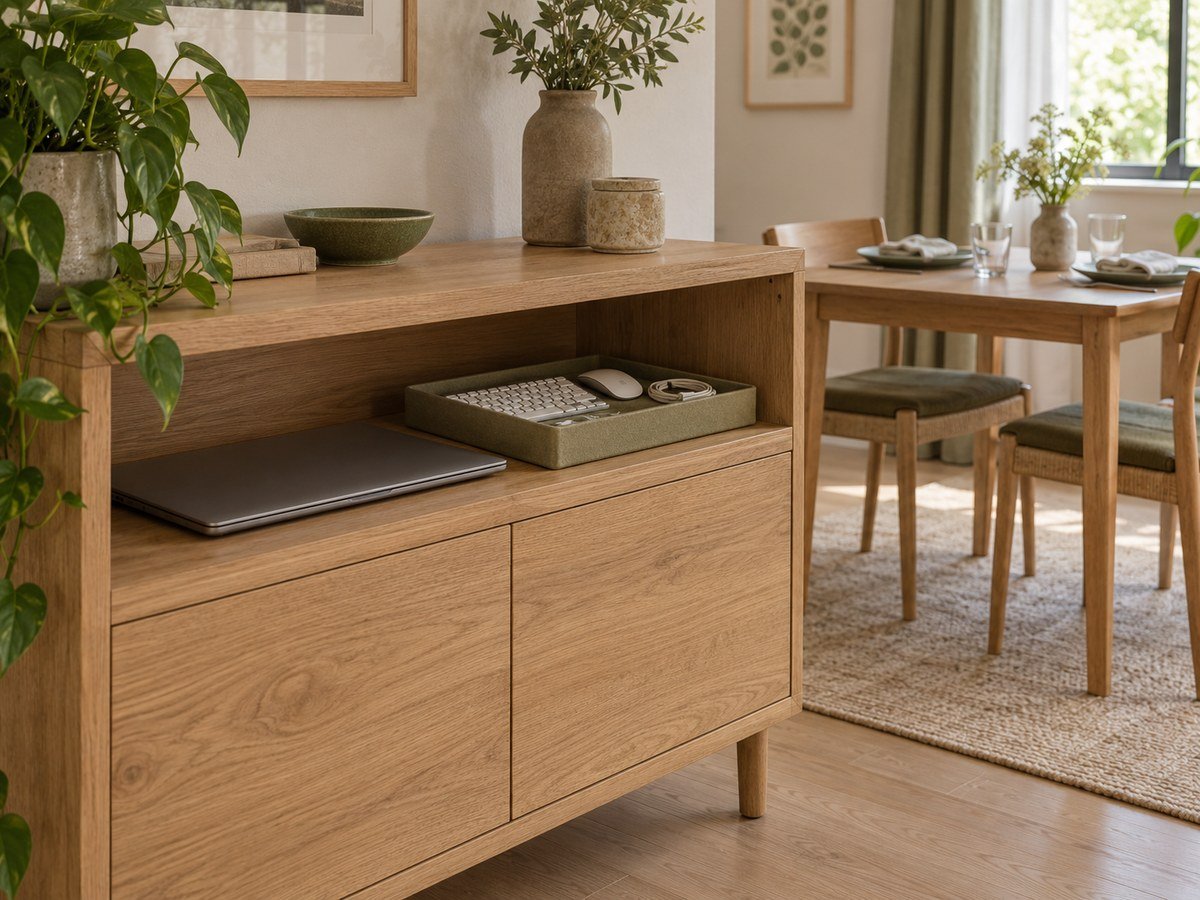
This is a planning guide, not a tested room makeover or a product review. The images are original AI-generated planning illustrations, not photographs of a real home, named products or a measured installation.
Check whether your table can do both jobs
Start with the equipment you already use. Put the laptop or monitor, keyboard, mouse and any essential notebook on the table. Sit down and check whether you can use them without turning sideways, reaching around objects or perching on the edge of the chair.
Then pull out the other dining chairs and open nearby cupboards. You need room for ordinary movement in both arrangements, not just a photograph of chairs pushed neatly under the table.
- Measure the usable surface. Exclude space taken by a permanent lamp, centrepiece or anything you cannot move. Include the mouse area, not just the laptop footprint.
- Check underneath. Table legs, crossbars, aprons and storage baskets can interfere with knees or feet even when the tabletop looks large.
- Check the route. Walk between the doorway, table and storage with the work chair occupied. Keep exits clear and account for anyone using a mobility aid.
- Check simultaneous use. If someone needs the table for lunch while you are on a call, decide where that activity goes before making the table your only workstation.
There is no single table size that proves this will work. Your equipment, body, chair and room determine the fit. A dining table can be a useful shared surface without being a suitable full-day workstation.
Set up your dining table home office around the seated position
For sustained laptop work, separate screen placement from typing position. OSHA’s workstation purchasing checklist recommends an external keyboard and pointing device for laptops and tablets. A stable stand can raise the screen while the keyboard and mouse stay within comfortable reach on the table.
Avoid raising the laptop and then spending the day typing on its elevated keyboard. Check that your shoulders can relax, your elbows stay near your body and your feet have support. If the table and chair cannot accommodate you comfortably, the shared-table idea may need a different chair or a different work surface.
OSHA’s monitor guidance recommends a screen directly in front of the user, at least 20 inches (about 51 cm) away, with the top line at or below eye level. It also recommends positioning the monitor perpendicular to a window. Use those points as a starting check, then adjust for your vision and task rather than forcing yourself into a fixed pose.
Keep drinks away from equipment and route charging leads along the edge nearest a socket, not across a walking route. Follow the equipment manufacturer’s ventilation and charging instructions; a closed storage basket is not a charging station.
Give the work kit a parking place
The most important storage measurement is the size of the things that must disappear at mealtime. Measure the closed laptop, keyboard and folded stand together. Check the inside of the proposed shelf or cupboard, including its door opening, rather than relying on the cabinet’s outside dimensions.
A shallow tray can collect small items, but it should not become a heavy stack you have to balance. Keep the laptop separate if that is easier to carry. Store less-used papers elsewhere so the daily kit stays manageable.
Choose a parking place close enough that returning everything is a normal part of finishing work. An existing sideboard shelf may be more useful than a new trolley if the trolley would occupy the only clear floor area. If you do choose a trolley, measure its parked position as well as its position beside the table.
IKEA’s working-and-dining room example illustrates the broader idea: dining furniture, a raised laptop setup and storage in the same room. The useful takeaway is the relationship between the table and storage, not a requirement to buy the featured furniture.
Choose a shelf, carry tray or trolley
Start with storage you already own. These are planning trade-offs, not tested product recommendations:
- Existing shelf or sideboard: useful when its opening fits the work kit and its door remains reachable with the dining chairs occupied. Try putting everything away before buying another container.
- Carry tray or caddy: useful for a few light accessories that move together. It still needs a shelf to land on; if the loaded tray is awkward to lift, split the kit into smaller trips.
- Rolling trolley: worth considering when equipment needs to stay grouped and there is a clear route and a permanent parking spot. Check doorway widths, floor transitions and the maker’s load limits. A trolley parked in the only walking route has not solved the storage problem.
If you have nowhere to park the kit, solve that first. Hiding it under the table is not a good trade if it removes legroom or blocks a chair.
Reset the room for dinner
Use the same short sequence each time. This is a suggested routine, not a timed performance claim:
- Finish and disconnect. Save your work, put devices into the appropriate off or sleep state and disconnect leads as instructed by their manufacturer.
- Park the work kit. Return the laptop, peripherals, stand and papers to their assigned places. Do not transfer the pile to a dining chair.
- Clear the floor. Move the work chair to its planned position if it will not be used for dinner, and remove any trailing cables.
- Prepare the table. Clean the surface using its care instructions, then set out the number of places you actually need.
If one object repeatedly prevents the reset, solve that specific problem. A large monitor may need a permanent home elsewhere. Loose papers may need one dedicated folder. Buying another cabinet will not help if you cannot reach its door when the table is in use.
Make a work-to-dinner measurement note
Use one note on your phone or a sheet of paper. Fill it with your own measurements, not dimensions estimated from a concept image:
- Work surface: usable width and depth after permanent objects, then the space used by the complete working setup.
- Storage: kit dimensions, internal shelf dimensions and the door opening; note where the largest item will go.
- Two room states: photograph or sketch the chair occupied for work and the table set for the usual diners. Mark any blocked door, cupboard or route in either state.
- Changeover: write where the laptop, keyboard, cables, papers and work chair go. Any blank destination is a problem to resolve before adding furniture.
For example, if dinner needs the same surface while your monitor must stay connected and in place, a smaller storage box will not fix the conflict. You may need a different work location or a separate compact desk. That is a use conflict, not a tidiness failure.
Try the routine before buying furniture
Run through a normal work session and a normal meal with your existing furniture. Record what gets moved, what remains in the way and which items have no storage destination. You are testing your own routine, not proving the setup is ergonomically suitable for everyone.
Keep the shared table if the working position is comfortable, the walking route stays clear and the work kit can be stored without taking over another surface. Reconsider it if you need permanent equipment, frequent private calls, conflicting meal times or adjustments the dining furniture cannot provide.
The strongest small-space solution is the one you can reset reliably. Sometimes that is a dining table and one cleared shelf. Sometimes a separate compact workstation is the more honest answer.
Sources rechecked October 7, 2026. Planning recommendations are ExstarHub editorial guidance; no hands-on furniture or ergonomic assessment is claimed. Images: original AI-generated ExstarHub concepts. The IKEA link is a separate real-world styling reference; the illustrations do not depict its products.
Source: IKEA