AMD Qwen 3.8 27B Support Arrives for Local AI
AMD says its Day 0 Qwen 3.8 27B support enables local use on supported Ryzen AI Max+ PCs and Radeon graphics hardware with more than 24GB of available memory.

AMD Qwen 3.8 27B support is now available in the company’s Day 0 guidance, giving developers a documented route to run the model locally on selected Ryzen AI Max+ systems and Radeon graphics hardware. The announcement is practical rather than a blanket promise: memory capacity and the software path matter as much as the chip name.
AMD Qwen 3.8 27B support is aimed at local development
AMD’s Qwen 3.8 27B support is presented as guidance for running a dense 27-billion-parameter model on compatible PCs and workstations. In this context, “Day 0” means AMD is making setup information available as the model arrives; it does not mean every AMD-powered machine can run it comfortably.
For developers, local use can be useful when a workflow needs to stay on a machine they control or when they want to test model behaviour without depending on a browser-hosted service. AMD’s announcement focuses on the hardware and software combinations it has tested rather than making a general claim about all local-AI configurations.
Which AMD hardware is in scope
AMD specifically names Ryzen AI Max+ processors and a single Radeon AI PRO R9700 with 32GB for Qwen 3.8 27B through llama.cpp. It also says the model can run on supported AMD hardware with more than 24GB of Variable Graphics Memory or VRAM.
That memory threshold is the key detail. It is not a simple recommendation to buy any recent GPU: a buyer or developer should check the usable graphics-memory configuration on the exact system, not just the processor family or graphics brand. The company’s wording also leaves room for differences between a unified-memory laptop and a discrete graphics card.
Llama.cpp and LM Studio offer different routes
AMD highlights llama.cpp as the underlying local-runtime path and says LM Studio support is available on the recommended Ryzen AI Max+ and Radeon AI PRO R9700 configurations. That gives users two familiar ways to approach a local model: a runtime-oriented route for hands-on setup and a desktop application option for people who prefer a graphical workflow.
AMD also points developers to Lemonade, its local-first platform, describing it as a unified interface that can select hardware-aware backends. The announcement should be read as vendor setup guidance, not as an independent comparison of every tool or every compatible machine.
Performance figures need the right context
AMD labels the results in its post as preliminary. It says its testing used Windows and the llama.cpp Vulkan backend, with figures averaged over more than three runs. Those conditions matter: model settings, prompts, memory configuration, software versions and thermal limits can all affect a local run.
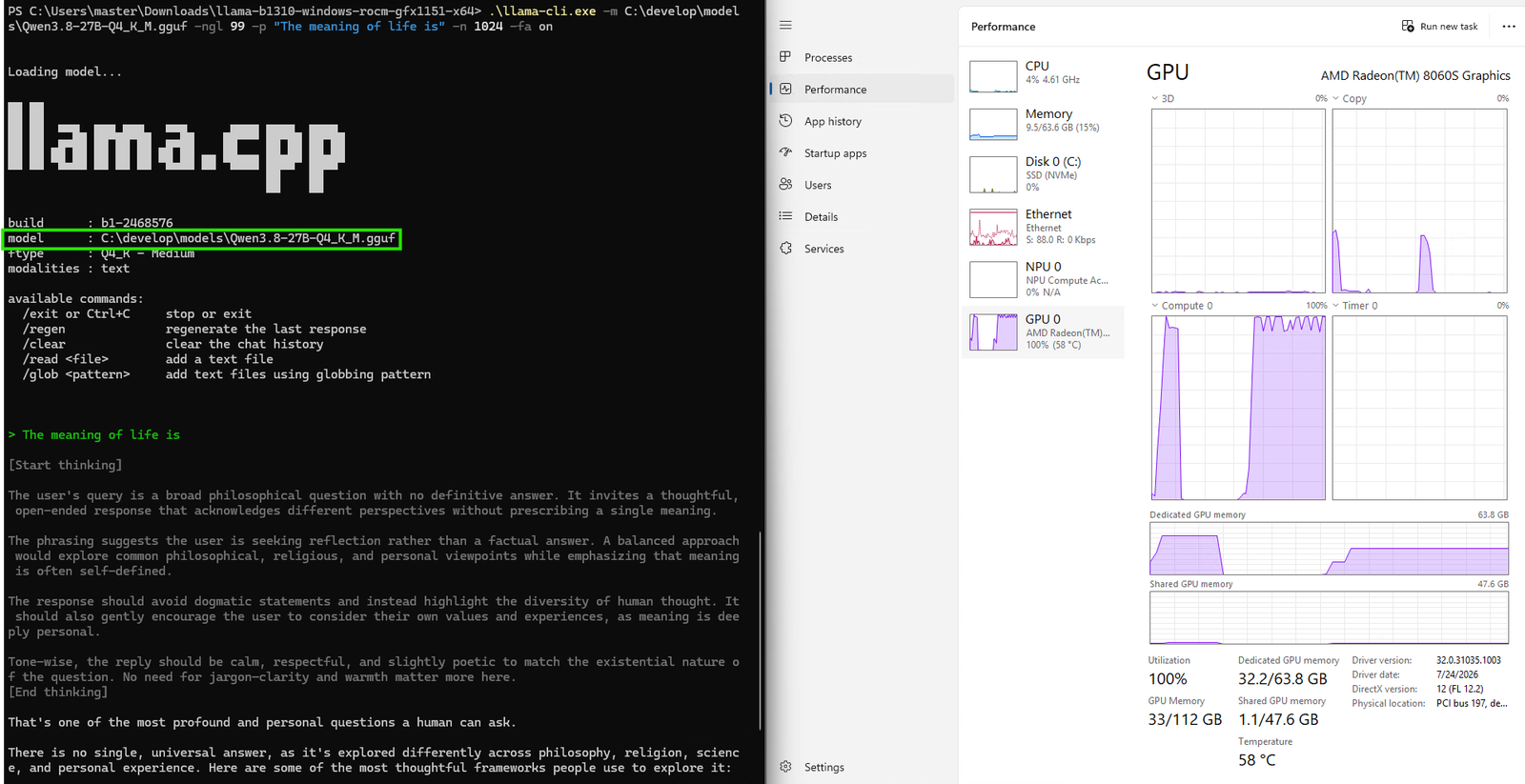
For that reason, headline performance claims are less useful than checking the practical requirements first. Before committing to a machine, confirm the amount of graphics-accessible memory, the supported backend and the software version recommended for the chosen model.
What this changes for local AI buyers
The announcement gives prospective local-AI users a clearer compatibility starting point for Qwen 3.8 27B on AMD hardware. It does not turn memory-intensive models into a fit for every PC, but it does spell out a supported path for systems that clear the more-than-24GB memory requirement.
The sensible next step is to treat AMD’s page as a configuration guide, then verify the exact device before buying or deploying it. For readers comparing local-AI hardware, that distinction is more valuable than assuming a model’s availability guarantees a similar experience across all devices.
Source
AMD: Run Qwen 3.8 27B on Ryzen AI Max and Radeon graphics cards, Day 0.
Source: amd.com